Configure a Sales Opportunity “Interest” to a default Sales Funnel Template
Pre-requisite: the Sales Funnel is previously created (see “Setup a Sales Funnel template“) and you have noted down its FunnelNo
- Go to Maintenance > General Codes
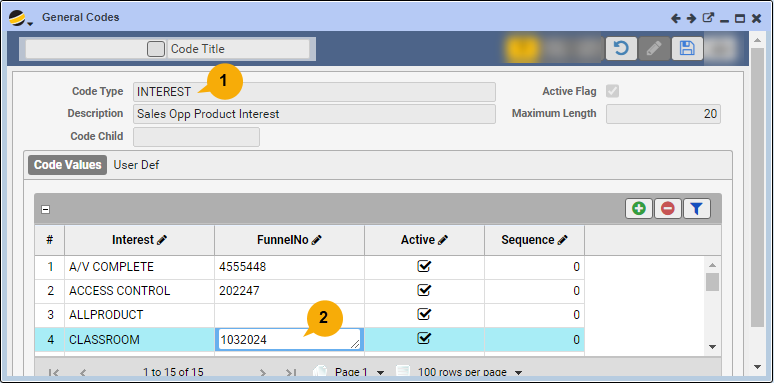
- Search for code “Interest” representing the “Sales Opp Product Interest”
- Notice the list of “Interest” values that display
- If the desired “Interest” value exists, proceed to step #2
- Otherwise create a new “Interest” for the business sales opportunity
- In Edit mode, click the Code Values grid Add icon
- Fill in the details, including name of the new “Interest” row
- In edit mode: for the selected “Interest” value row, link the Sales Funnel to the Interest:
- Fill in the column FunnelNo (by default it is blank) of the Sales Funnel template
- Click the Save icon